Migrating from elilo to Grub on Slackware current (16) with UEFI/EFIBoot
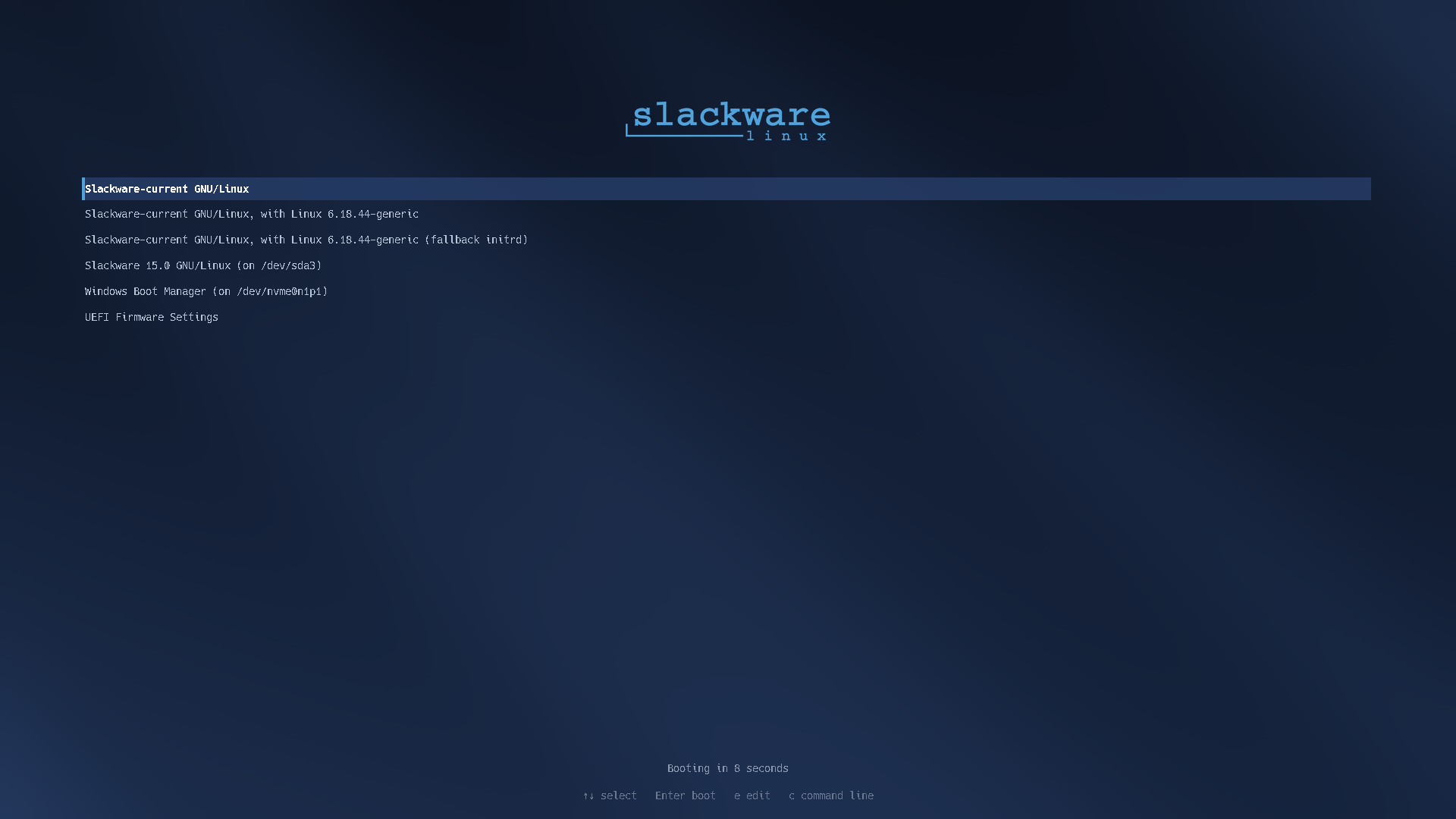
To migrate the bootloader from ELILO to GRUB on a Slackware system with UEFI/EFI, the process is quite simple and consists of installing the GRUB package (if not already installed), writing the EFI image to the partition, and updating the configurations.
Why did I decide to make this change? Simply to make the boot screen look better.
Warning! Before performing any action, ensure you have a way to boot the system using a USB recovery disk or another method. Since the following steps involve the system’s boot area, an incorrect action risks breaking your system’s boot capability.
1. Install GRUB Packages
Make sure GRUB and EFI tools are installed on your Slackware system. As root, run the following to install:
1
slackpkg install grub efibootmgr
2. Identify the EFI Partition (ESP)
Usually, the EFI partition is mounted at /boot/efi. Confirm this with the command:
1
df -h /boot/efi
If it is not mounted, mount it (replacing sdXY with your EFI partition, e.g., /dev/sda1 or /dev/nvme0n1p1):
1
mount /dev/sdXY /boot/efi
3. Install GRUB to the EFI Partition
Run the command below to write the bootloader to the UEFI firmware and create the boot entry in Slackware:
1
grub-install --target=x86_64-efi --efi-directory=/boot/efi --bootloader-id=grub --recheck
How to verify: The output should display the message Installation finished and No error reported.
4. Generate the GRUB Configuration File
Create the /boot/grub/grub.cfg file so that GRUB automatically detects the Slackware kernel (vmlinuz) and initrd (if you use one):
1
grub-mkconfig -o /boot/grub/grub.cfg
5. Check UEFI Boot Order
Confirm that GRUB is configured as the primary boot option in the system’s NVRAM:
1
efibootmgr
Look for the BootOrder line and ensure that the number corresponding to the grub entry comes first.
Yes, the installation and NVRAM entry are correct!
The output I received was:
Boot0003* grub: GRUB was successfully registered in UEFI, pointing to\EFI\grub\grubx64.efi.BootOrder: 0003,...: GRUB is already configured as the primary option during boot.BootCurrent: 0000: Simply indicates that the current system was booted via ELILO (the old boot method). On the next reboot, the motherboard will use item0003(GRUB).
6. Test the Boot
Reboot the system to confirm that GRUB loads Slackware properly:
1
reboot
7. (Optional) Remove ELILO
After rebooting the system and confirming that GRUB boots normally, you can remove the old ELILO files from the EFI partition to keep the directory clean:
1
rm -rf /boot/efi/EFI/Slackware
8. Customizing GRUB
After installation, I did a little customization on GRUB. To do so, I used the theme provided by rizitis as a base at: https://forge.slackware.nl/rizitis/slackware-grub_theme.
The result is the image shown in the header of this post.
Keep it Simple! 🚀
Slackware® is a registered trademark of Patrick Volkerding.